

Automate Your Event Syncing with WPEA WP Event Manager Addon
Are you tired of manually copying and pasting events into your WP Event Manager listings? Save your time and streamline your workflow with the WPEA WP Event Manager Addon.
This powerful extension creates a seamless bridge between WP Event Aggregator and WP Event Manager. It automatically fetches events from all your favorite sources—like Facebook, Eventbrite, Meetup, iCal, and more—and beautifully displays them on your WordPress site.
Why Choose This Addon?
- 🚀 Zero Manual Entry: Automatically import Event Details, Venues, Organizers, Categories, Event Types, and Featured Images instantly.
- 🔄 Smart Sync & No Duplicates: Keeps your event listings fully updated. If an event changes at the source, it updates on your site automatically.
- 🔗 All Sources Supported: Fully supports every import source provided by WP Event Aggregator.
- 🎟️ Registration Links & Online Events: Source event URL is set as the registration link, and online events are marked correctly.
- ⚡ Easy Setup: No complex coding required.
System Requirements
To use this addon, you must have the following plugins installed and activated on your WordPress site:
Screenshots
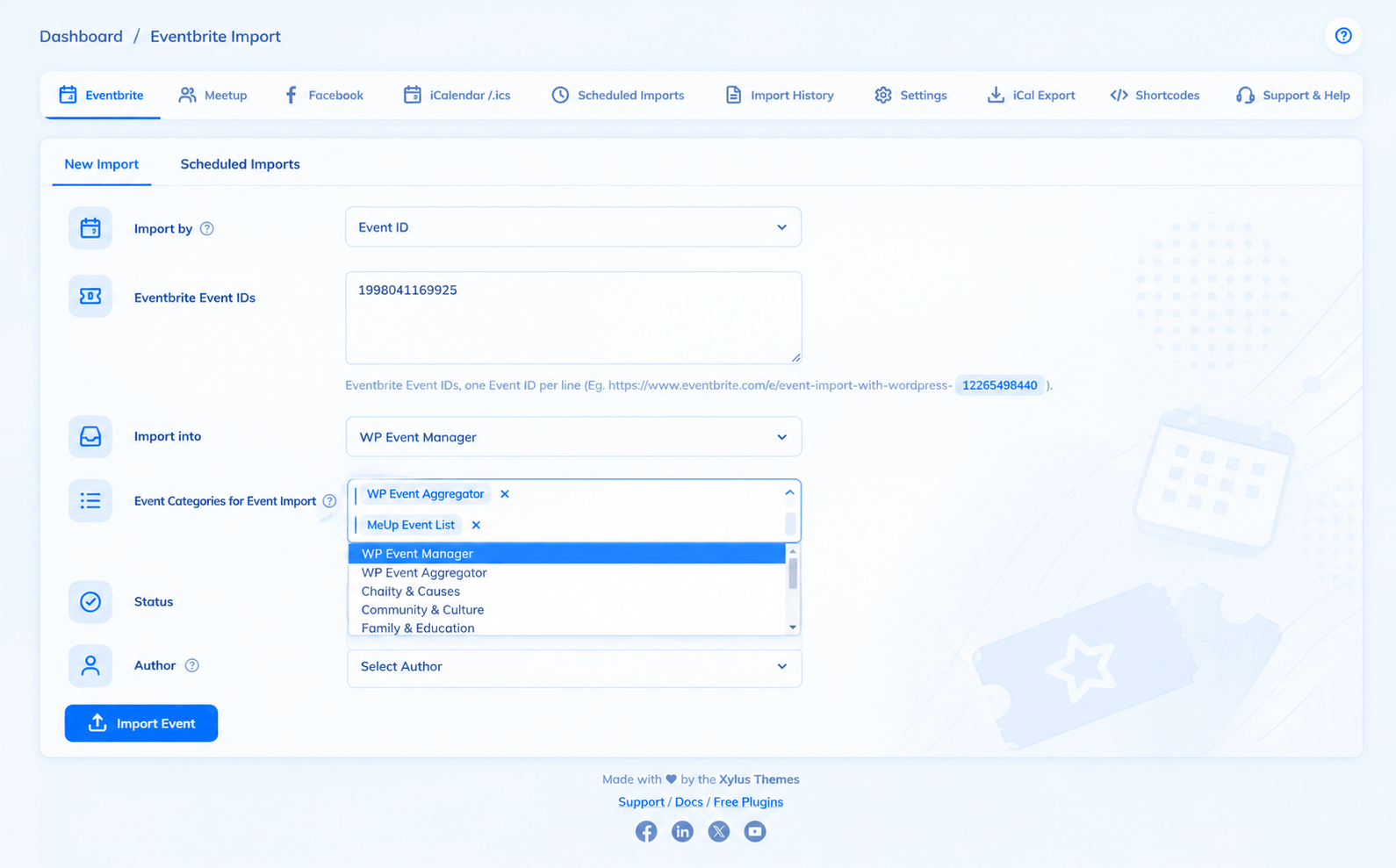
Take a look at how seamlessly the integration works right inside your WordPress dashboard.
Plugin Installation Guide
- Ensure that WP Event Aggregator and WP Event Aggregator Pro are installed and activated on your site.
- Make sure the WP Event Manager plugin is installed and activated.
- Purchase and download the “WPEA WP Event Manager Addon” from your account dashboard at Xylus Themes.
- Go to your WordPress Dashboard and navigate to Plugins > Add New > Upload Plugin.
- Upload the downloaded `.zip` file and click Install Now.
- Click Activate to enable the addon.
- Go to the Import Events tab in WP Event Aggregator, and you will now see WP Event Manager as an available import destination!
Changelog
= 1.0.1 =
- Security: Implemented important security enhancements and sanitization improvements.
= 1.0.0 =
- 🎉 Initial Release: Full integration support between WP Event Aggregator and WP Event Manager.
hi there, my website is bajaentertainment.com, I have WP Events Manager, I want to import events from ics files. I see your demo doesnt have the option to enable this plugin. i would like to purchase but I want to make sure I can import ics files. can u help
Yes, it can import an ICS file too